A crochet companion for your next project.
HookPlan empowers you to create crochet patterns and then focus in on that work, tracking as you go.
Stitch and row counters help you keep track as you design your next piece.
Track and organize your yarn stash so you can choose the best from your collection.
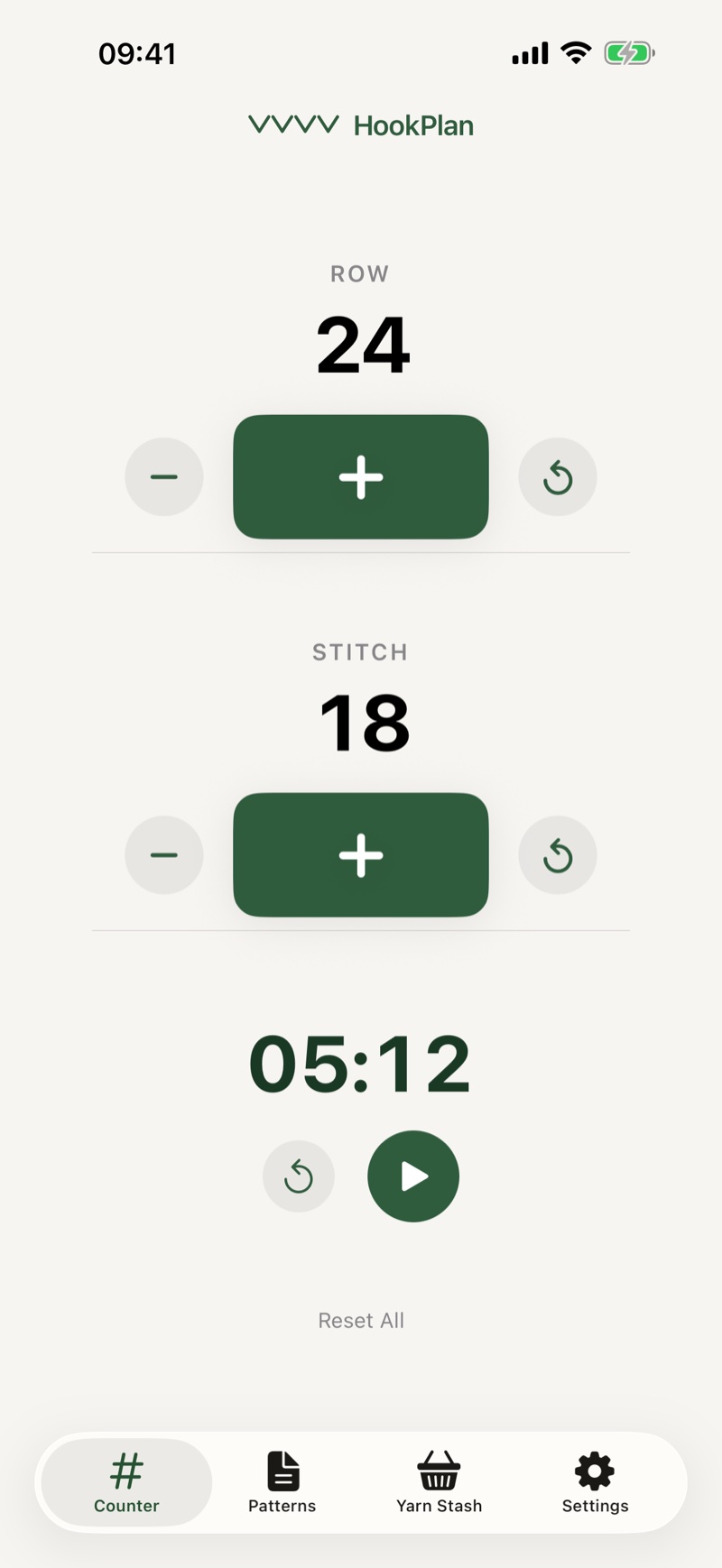
Count without putting your hook down.
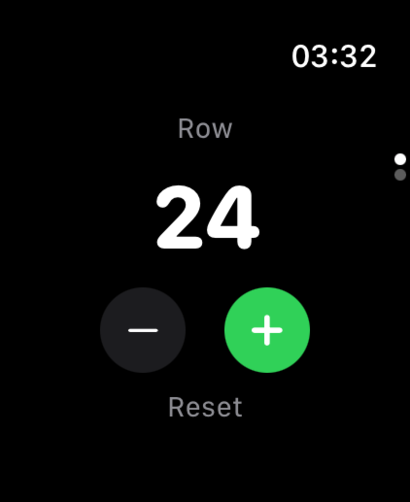
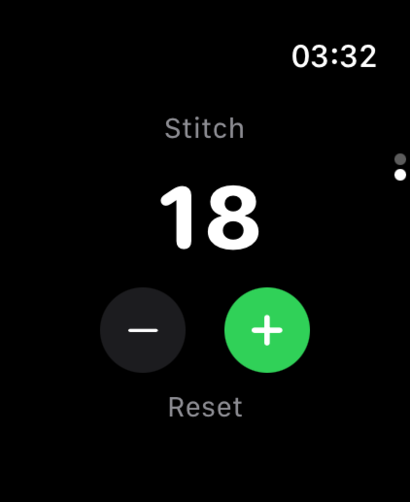
HookPlan ships a full Apple Watch app, not a glance, not a notification, a real counter you can drive from your wrist while both hands stay on the project. Since 1.5 it knows which project you are working and which row you are on.
Count on your project
Pick a project once and the watch shows the row you are on, instructions and all. Plus marks the row done on your iPhone too. Or stay on the global counter for quick tallies.
Double Tap, Digital Crown, or big buttons
Pinch your finger and thumb twice to count without touching the screen (Series 9 and later). Rotate the crown to scrub through counts. The big +/- targets are always there.
Still there at row 90
Pin the HookPlan card in your Smart Stack and it is one swipe from the watch face, showing your project, your row, and your stitch count. Set Return to Clock to an hour and every wrist raise brings the counter back.
Counter, patterns, stash. The whole craft, in one place.
Every other crochet app forces you to pick a side. HookPlan stitches them together, so what you make and what you make it from are never more than a tap apart.
The fastest counter you'll ever use
Two independent counters, voice counting, three text sizes, four step values, iPad keyboard shortcuts, and a built-in stopwatch. The +/− buttons are huge on purpose. You'll be holding yarn.
Patterns that actually understand stitches
Section headers, multi-row spans, image rows, and 33 stitch types in both US and UK terms. Convert any pattern into a checkable WIP that expands every repeat into a row you can tick.
A stash that earns its name
Track every skein with brand, fiber composition, weight, yardage, recommended hooks, gauge, care, photos, and purchase history. Pull yarns straight from the stash into a pattern's materials list.
Small things that make a hundred small differences.
Built-in stopwatch
Per-WIP and global session timing, paused on demand.
Sessions log themselves
Counting starts a session. Idle time gets trimmed back out.
Crafting statistics
Totals, streaks, averages, and time broken out by project.
Step by 1, 2, 5, or 10
Pick your increment. Avoid tapping every stitch or row.
Backup, import & export
One-file library backups, pattern import, CSV stash export.
US ↔ UK terminology
Auto-detected, switchable per pattern.
Auto-reset stitches
Optionally zero the stitch count when the row bumps.
One-tap Reset All
A confirmation step before zeroing both counters.
Undo almost anything
Deletes and resets can be taken back with a single tap.
Rich-text pattern notes
Bold and italic formatting is preserved end-to-end.
Pattern tags
Group by gift, holiday, amigurumi, blanket, whatever.
Archive, don't delete
Park finished patterns without losing them.
Search everywhere
Across patterns, WIPs, and the entire stash.
Bring your own photos
Add from your library, camera, or paste straight from the clipboard.
Duplicate a pattern
Save a working copy before you riff on a design.
Send a pattern to a friend
Share any pattern as a file, by AirDrop, Messages, or mail.
WIPs are snapshots
Edit the pattern later; the project already on your hook stays put.
Completion share cards
Finish a project and get a square image worth posting.
Pull from your stash
Add yarn to a pattern by picking from skeins you already own.
Section headers
Break long patterns into Body, Arms, Head, and anything else.
Stitches, text, and images
Slip plain notes and reference photos between your stitch rows.
Built-in stitch glossary
Plain-English defs for all 33 stitches, US and UK.
Recommended hook sizes
Per-yarn hook suggestions with free-form notes.
Tension & gauge
Stitches and rows per inch, kept with the skein.
Purchase history
Multiple buys per yarn: date, price, currency.
Yards or meters
Toggle units globally to match your preference.
Multi-currency
Pick your default; the cost calculator respects it.
Price a commission
Hours from your sessions, yarn from your stash, plus overhead.
Dated progress photos
Snap WIP shots and they time-stamp themselves.
Locale-aware defaults
US/UK terms and currency auto-detected on first launch.
One purchase, full stop
No ads. All the features, yours to keep.
See it clearly. Tap it easily.
Big +/− buttons
Sized for fingers holding yarn, on both phone and watch.
Three counter text sizes
Small, Medium, or Large display, your call.
Dynamic Type
Type scales with your iOS accessibility settings.
Light, Dark, or System
Theme follows your iOS appearance preference.
High-contrast palette
Warm, readable colors with strong contrast in any light.
Haptic feedback
A gentle tap each count; toggle if you'd rather not.
Tunable count animation
Off, Slow, Normal, or Fast roll. Turn motion down if you want.
VoiceOver labels
Counter controls and add-yarn buttons read aloud.
Keep screen on
Your project never goes dark mid-row.
iPad keyboard shortcuts
Drive the counter from a connected keyboard when it's faster than tapping.
A gentle first-launch tour
A short, friendly walkthrough the first time you open the app, skippable any time.
Write a pattern once. Make it a hundred times.
Patterns understand sections, multi-row spans, repeat groups, and inline images. Convert any pattern to a Work in Progress and HookPlan expands "(sc, inc) ×6 across R7–14" into a checklist of every individual row, ready to tick off.
Both hands on the yarn. Your voice on the count.
Tap Voice on the Counter tab and say "next row," "stitch," "undo," or simply the name of the stitch you just made. Recognition happens on your phone. Nothing you say is recorded or sent anywhere, and it switches itself off when you put the yarn down.
Try it from the Counter →Know exactly what you have, and what it cost.
Every skein gets a record: brand, color, weight, fiber blend, yardage, recommended hooks, gauge, care, and as many purchase entries as you need. The cost calculator does the math per yard or per meter, in your currency.
I've lost the label off a half-used skein and spent ten minutes squinting at the band of a matching one. Capture it once, in HookPlan, and the wrapper can go where wrappers go.
iPhone, iPad, Apple Watch. Everywhere your hands are.
Pin a live counter to your Lock Screen and count from the Dynamic Island. On iPad, every list opens beside the item you're working on. The Apple Watch app stands on its own.
Apple Watch
Count on the global tally or on a project, with the row you are on right on your wrist. Digital Crown or Double Tap to advance, real-time sync with iPhone, plus a Smart Stack card and complications for your watch face.
Widgets & Lock Screen
Pin a live counter to your Lock Screen and tap +1 right there, or count from the Dynamic Island and Control Center. Home Screen and Lock Screen widgets show your counts, and the live counter follows you to your watch's Smart Stack.
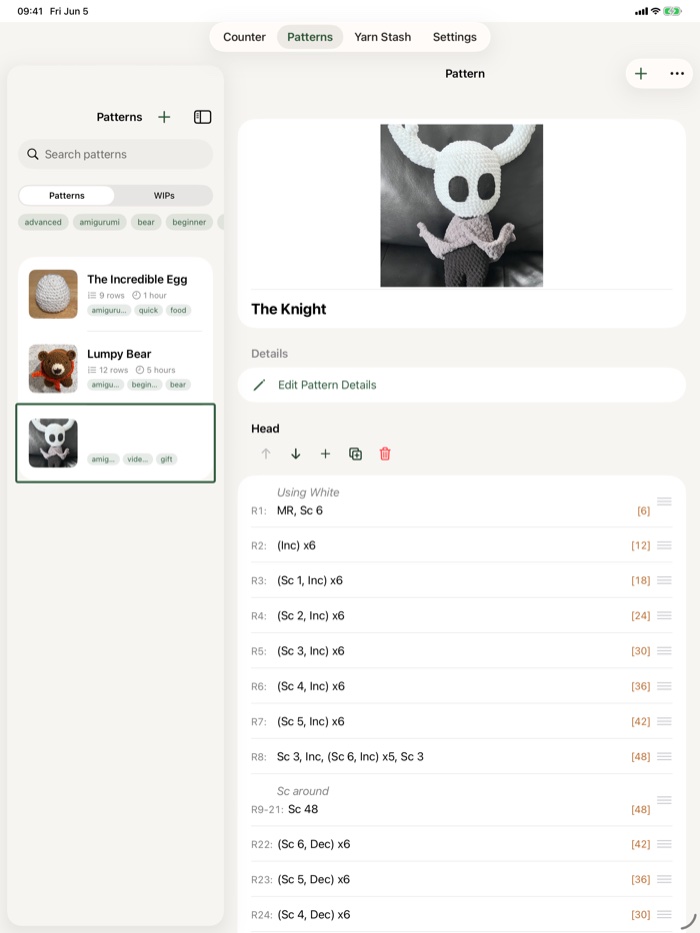
iPad
The bigger canvas uses a two-column layout: your patterns, WIPs, and yarn on the left, the open item right beside them, so you can browse and work without losing your place.
Tell me what HookPlan is missing, and I'll add it.
I started building HookPlan for myself, just a better way to count rows without losing my place and keep my own yarn organized. Once it came together, I knew I wanted to share it, and I'd love to keep shaping it alongside the people who use it. If something is missing, or you have an idea that would make HookPlan more useful, please send me a note. I can't promise every suggestion will become a feature. Even so, every note shapes where the app heads next, so let me know where you'd like to go.
And when those updates arrive, you don't pay again. The version you bought today and the version you'll have a year from now are the same purchase. The app just gets better in the meantime.
Suggest anything
If something is missing, or an idea would make HookPlan better for you, write and tell me. I read every note myself.
Updates are included
Your purchase covers every update from here on out. No new tier, no upgrade fee, no surprise paywall.
No subscriptions. No ads.
HookPlan is a one-time purchase. Your patterns and yarn stash live on your device. Safe from a subscription that limits your access to your own work.
Zero ads
No banners, no interstitials, no nothing.
Zero subscriptions
Pay once. Every feature is yours.
Pick up the hook. I'll keep your place.
HookPlan for iPhone, iPad, and Apple Watch. One-time purchase. Available on the App Store.
 $2.99 · One-time