Getting started
Meet HookPlan
A quick tour of the four tabs you will use every day.
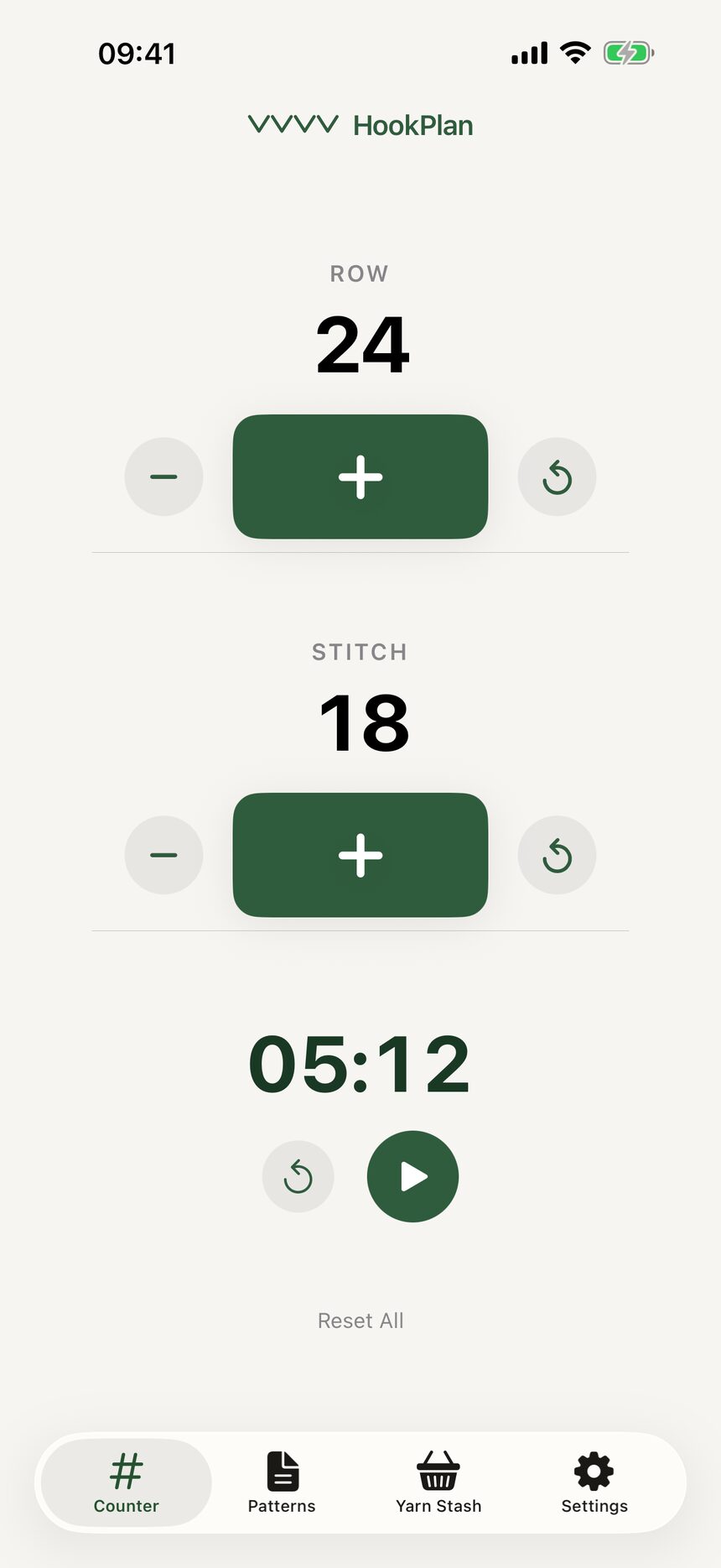
Step 1: The Counter tab
When HookPlan opens, you land on the Counter tab. This is home base: a row counter, a stitch counter, and a stopwatch, all on one calm screen. Everything is big enough to tap without looking too closely.
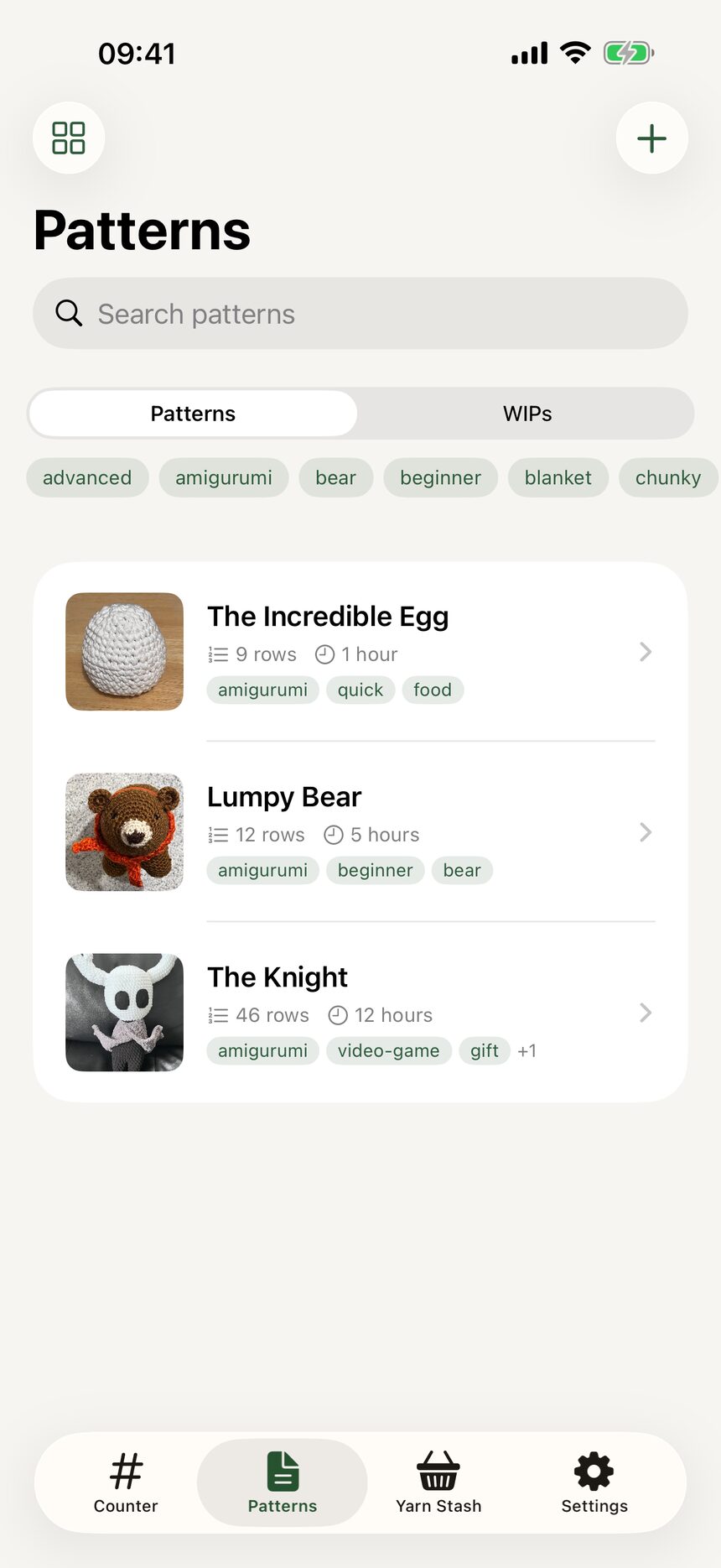
Step 2: The Patterns tab
Tap Patterns in the tab bar to see your pattern library. Every pattern you write lives here, and your works in progress do too. It starts empty and fills up faster than you would think.
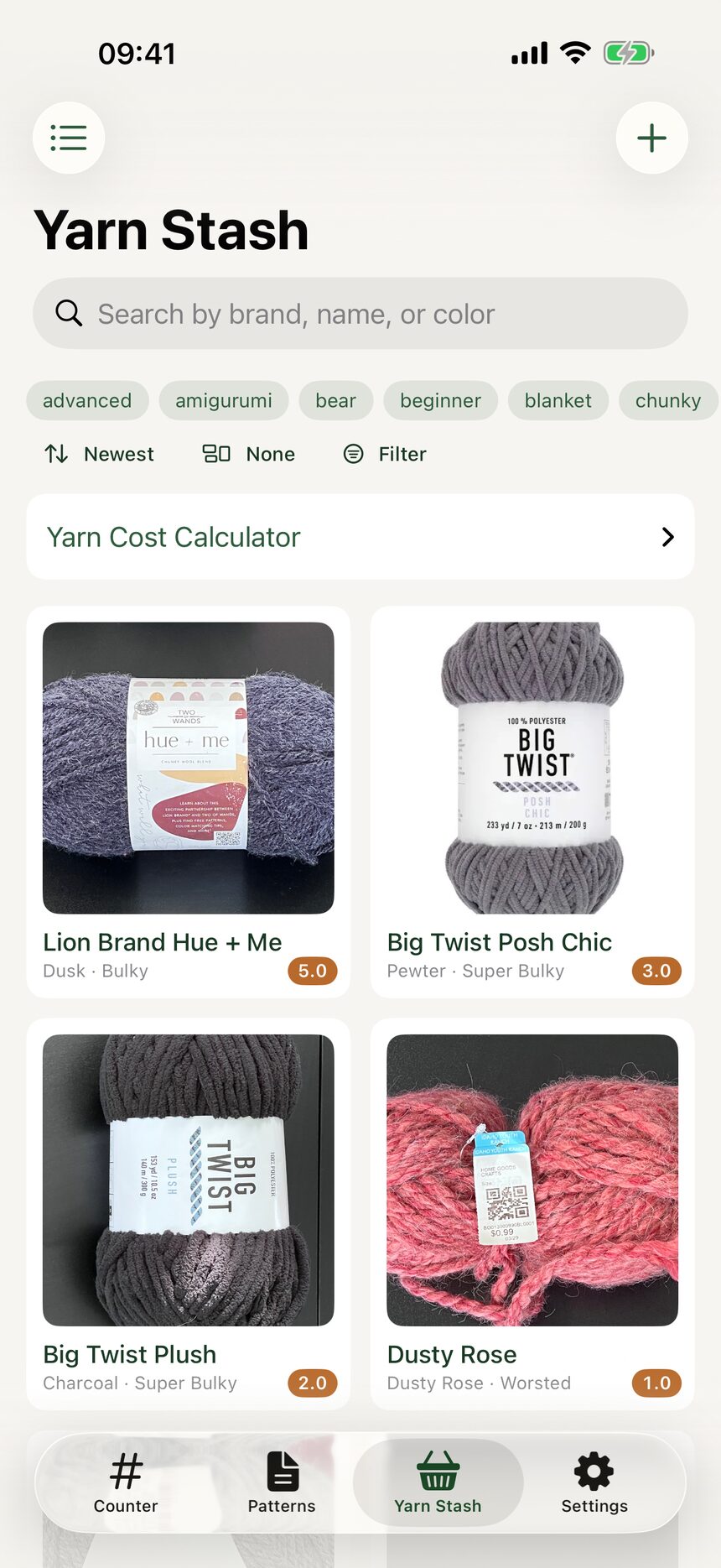
Step 3: The Yarn Stash tab
The Yarn Stash tab holds every skein you record. You can search it, tag it, and check what you already own while standing in the yarn shop aisle.
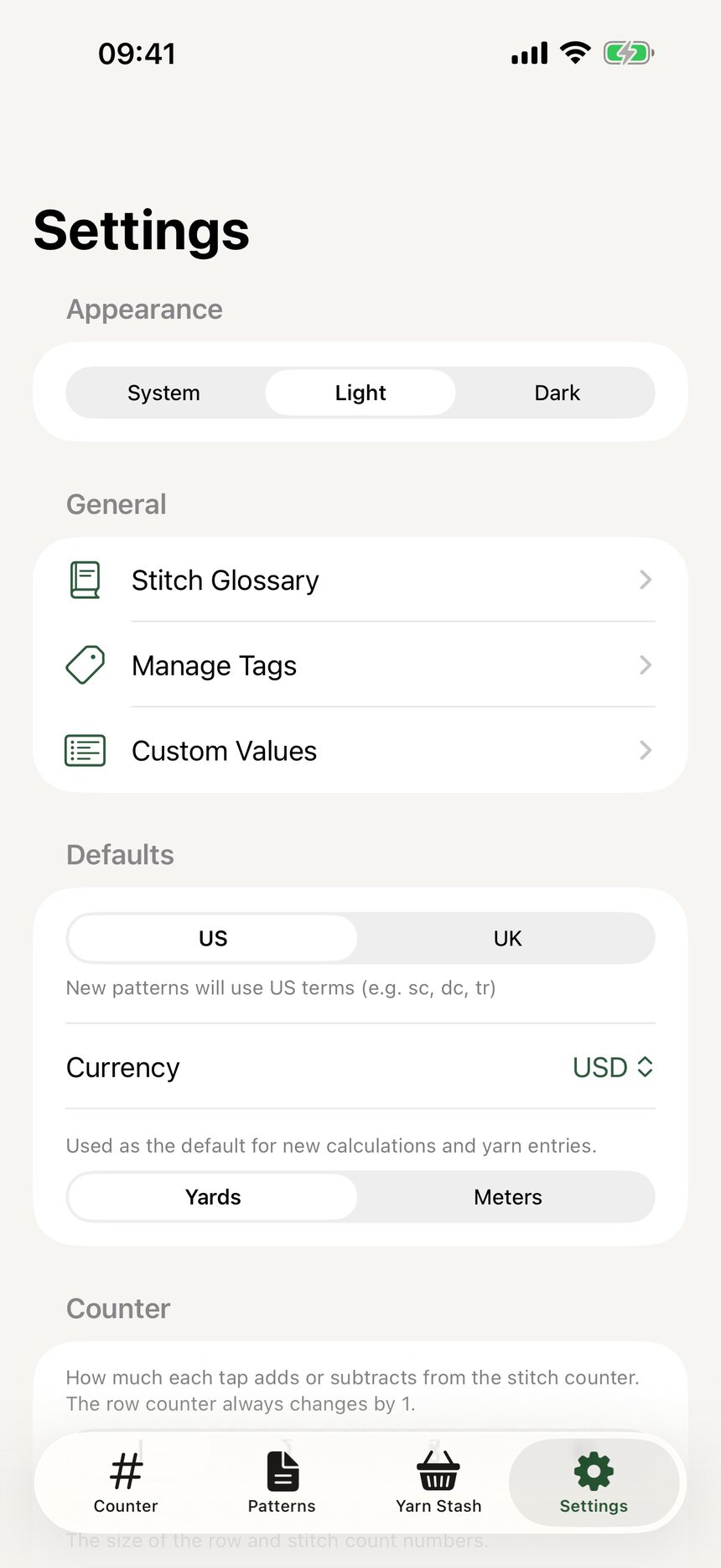
Step 4: The Settings tab
Settings is where HookPlan adapts to you. US or UK terms, counter sizes, haptics, the stitch glossary, and a direct line to the developer all live here.
More about getting started
Still have a question?
The FAQ covers the common ones, and the contact form reaches a real person. Either way, you will not be left guessing.
Visit support