Patterns
Create your first pattern
From an empty library to a named pattern in three taps.
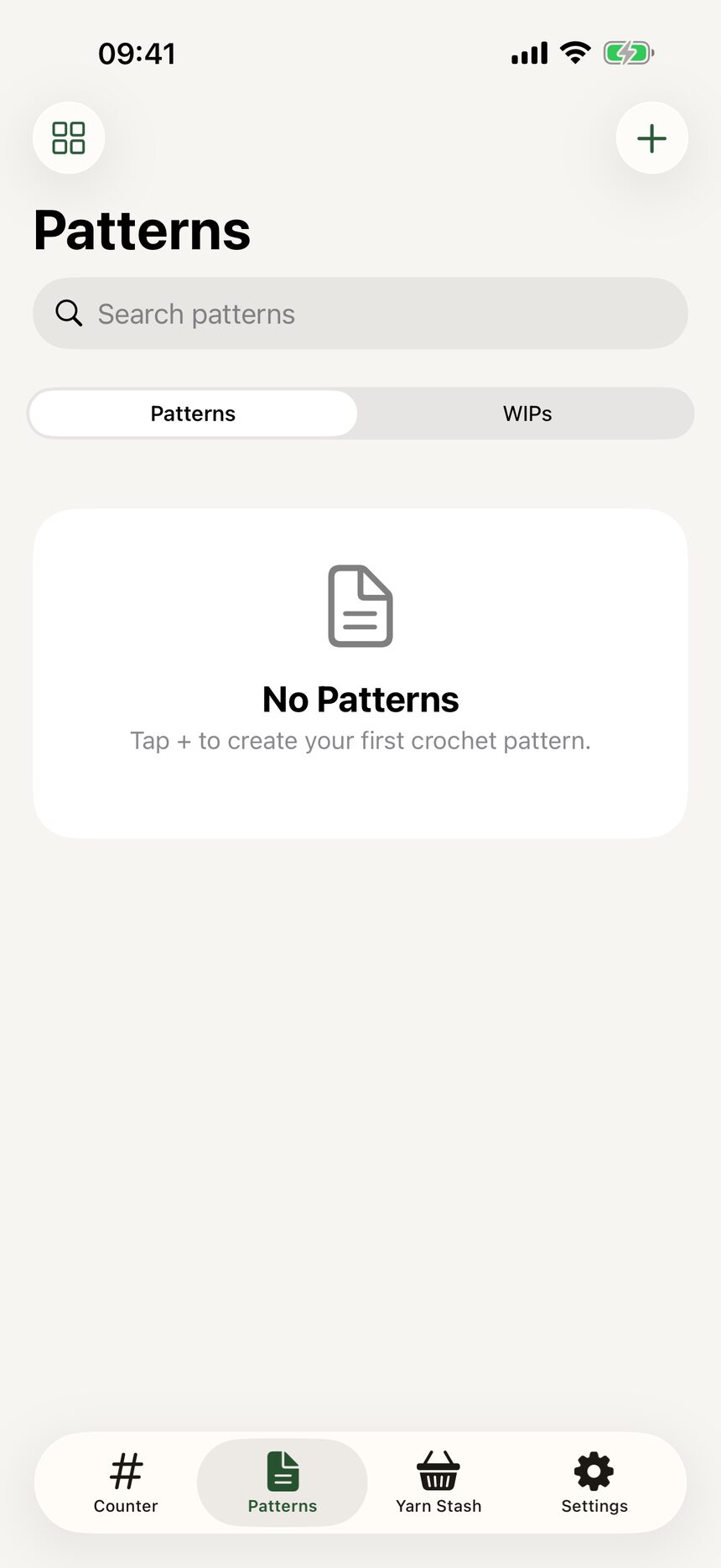
Step 1: Tap the plus button
Open the Patterns tab. Before your first pattern, it greets you with a friendly empty state. Tap the plus button to begin.
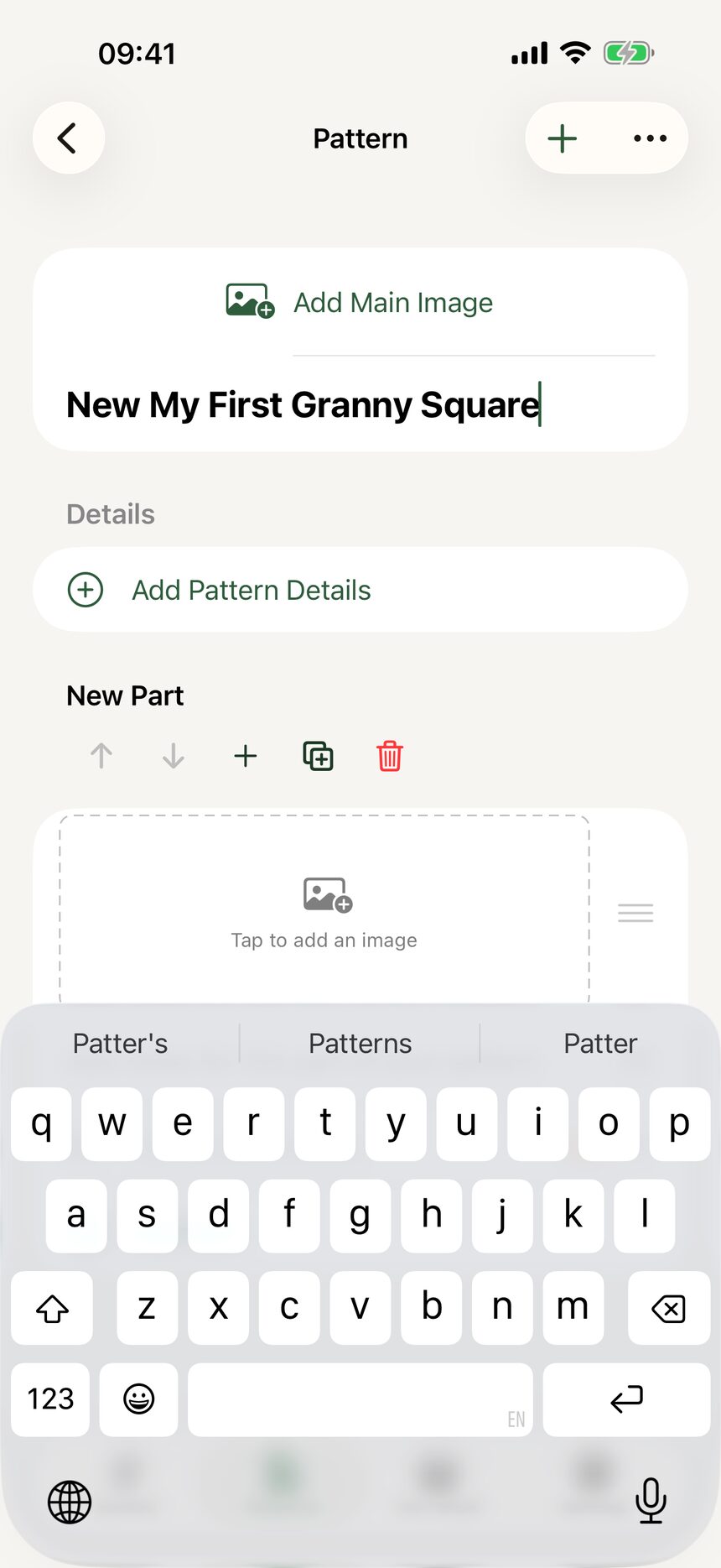
Step 2: Name your pattern
Give your pattern a name, anything from Lumpy Bear to Granny Square Blanket. You can change it later, so do not overthink it.
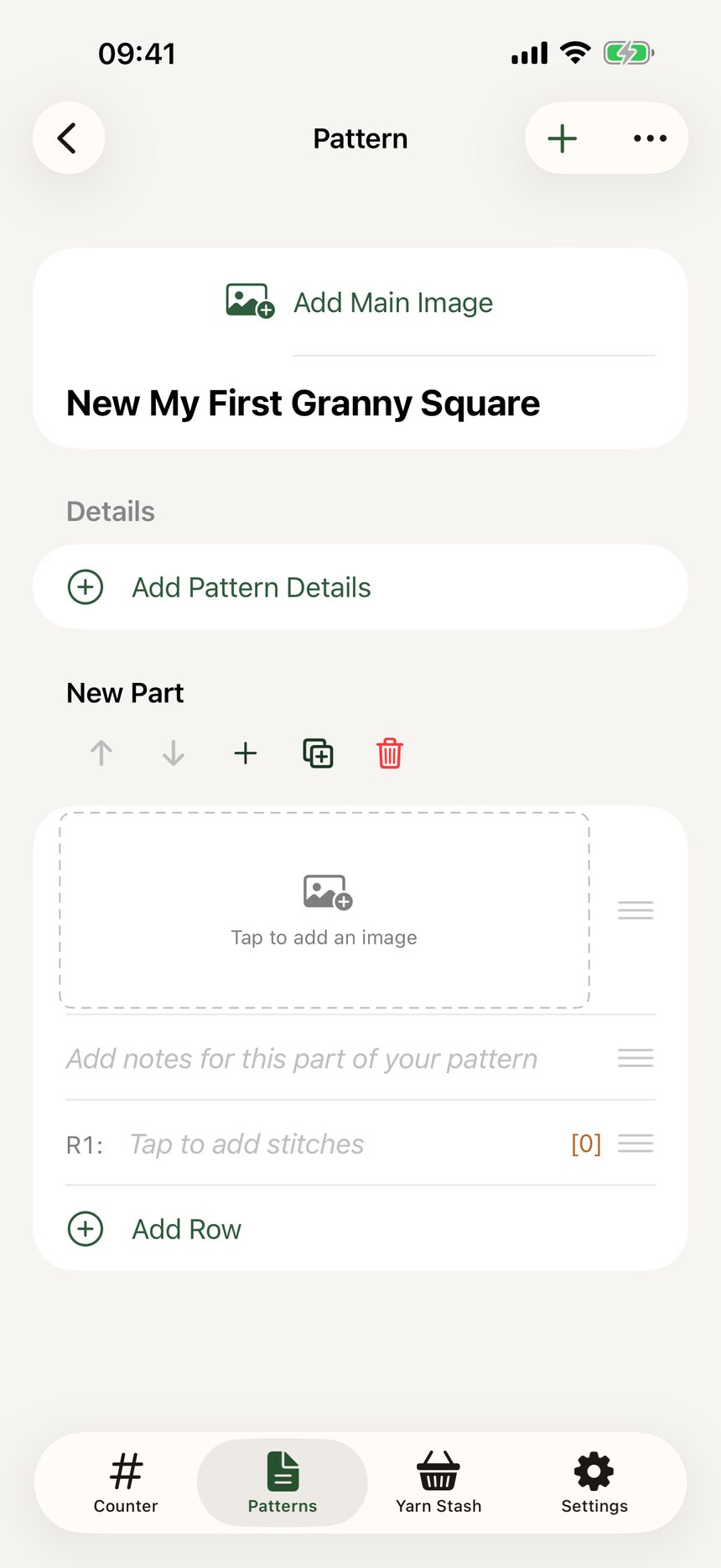
Step 3: Start filling it in
Your new pattern opens right away, ready for rows, materials, and notes. The next tutorials walk through each part.
More about patterns
- Write a pattern row by rowStitch rows, repeats, section headers, row spans, and notes: the whole pattern editor.
- Record materials and detailsHooks, yarn, dimensions, and credit where credit is due.
- Switch between US and UK termsOne toggle converts a whole pattern between US and UK stitch names.
- Organize your pattern libraryGrid or list, tags, search, and an archive for finished favorites.
Still have a question?
The FAQ covers the common ones, and the contact form reaches a real person. Either way, you will not be left guessing.
Visit support